Why don’t newer cars come with an aux port? I wish I knew the answer. It seems like it would be so cheap for every car to have one. Sure, just about everyone has a phone with Bluetooth, but there are some situations where you don’t want to use Bluetooth. For example, streaming hi-def audio through Plexamp, or especially relevant to Teslas, watching a movie at a supercharger on an iPad (or screenmate) because you can’t run a VPN on the Tesla’s infotainment and don’t want to open your Plex server to the world.
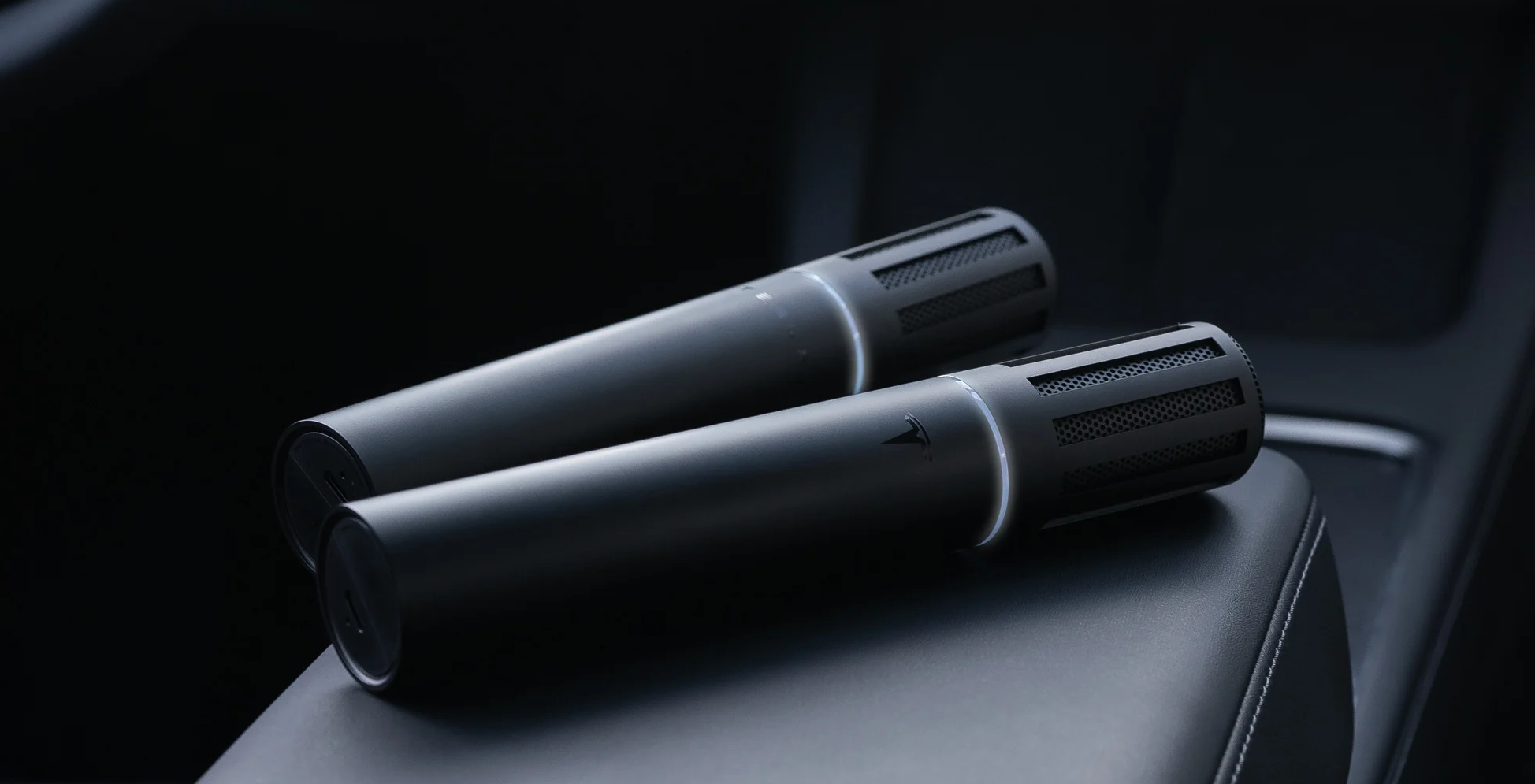
I was looking for a way to get wired audio into a Model Y and noticed Tesla sells a mic called the Caraoke Mic. This is a gimmicky little thing allowing passengers to sing karaoke. I got a cheap clone mic and it’s actually pretty fun. The mic comes with a receiver that connects to the glovebox USB port, and I started thinking, would the car accept USB audio from another source?
AI can just… do stuff
A few years ago I built a LIN Bus interceptor for my Rav4. The software for that took months worth of 1 AM coding sessions sitting in my car to build. Now, AI and vibecoding have made this process much faster. I do sometimes miss typing code myself and building every component by hand. But you just can’t beat the efficiency gains from AI.
For this project, for example, I would have had to learn and understand a whole bunch of intricate details surrounding the USB connection process to reverse engineer it. While that sounds like a fun project, I simply don’t have the time for that between my job, playing in my band, sleeping enough to stay alive, and attempting to have some sort of a social life. AI being able to just do things like that makes it so I can come up with something I want to build, work out the high level details, and hand over all the slow menial stuff to an agent while I work on other projects or my actual job.
What is TeslAux?
So TeslAux came from this idea that surely, if a Tesla will accept wired audio in from a mic, it will accept audio from anything else that pretends to be a mic. This turned out to be true. All it required was reverse engineering the USB descriptors of the mic that were whitelisted by the car and programming another USB device to look like that mic. This used to be easier said than done, but this time all that was required was a Heltec T114 board I had sitting around from another project, an ST-Link connected to the T114, and the mic plugged into my laptop. I told Claude to make it work and before long I had a sine wave playing through the car’s speakers.
What the mic looks like:
- VID 0x1235, PID 0x0002, and the manufacturer, product and serial strings. The serial is 40 bytes, which makes the string descriptor 162 bytes — a 128-byte control buffer silently breaks enumeration.
- Four interfaces: AudioControl, AudioStreaming, and two HID interfaces.
- IF2 is a HID keyboard with the standard 65-byte boot-keyboard report descriptor. Not telemetry, as was assumed for months — the mic’s button sends keystrokes.
- IF3 is an endpoint-less vendor HID, usage page 0xFF00, usage 0x55AA, with an exact 36-byte report descriptor and an 8-byte Feature report reading 00 01 00 03 03 00 08 00. The car writes A5 5A-framed configuration to it and validates what comes back. Cloning it byte for byte defeats the “invalid mic” popup.
I guess it wasn’t just as simple as telling Claude to make it work and coming back to it working perfectly after the first prompt. Audio sounded really garbled at first and I had to steer it to fix timing issues. Without that IF3 interface, it works for about a minute before an “invalid mic” popup is thrown and the car disconnects from the device.
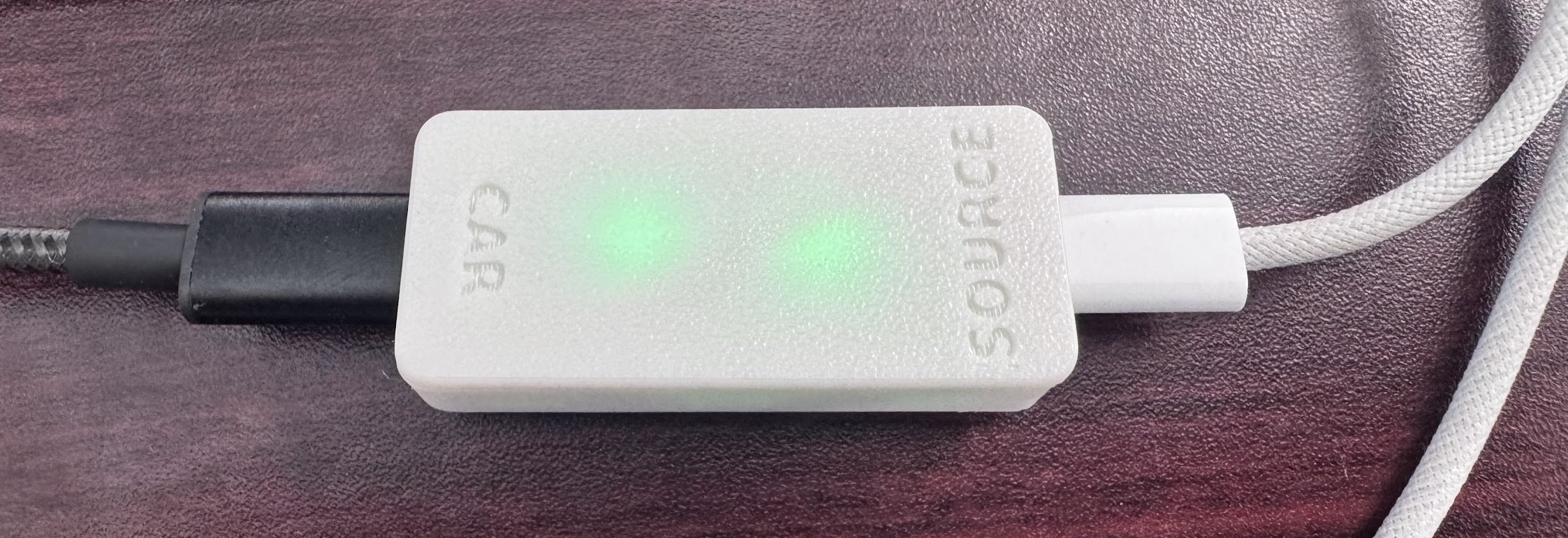
After that, I had to find a way to get actual audio into the system. The T114 can’t handle processing audio input, so I went with RP2040-Zero boards. These things are so cheap. It turns out there isn’t a single cheap, tiny board out there that has 2 USB ports that can both operate as audio devices. The closest to that are dual-USB RP2350 boards, but the second USB port is PIO and nobody’s written a driver to use that as an audio device (I did try and haven’t been able to get it working yet). So the best solution is 2 RP2040-Zero boards placed back to back with their edge pads soldered together.
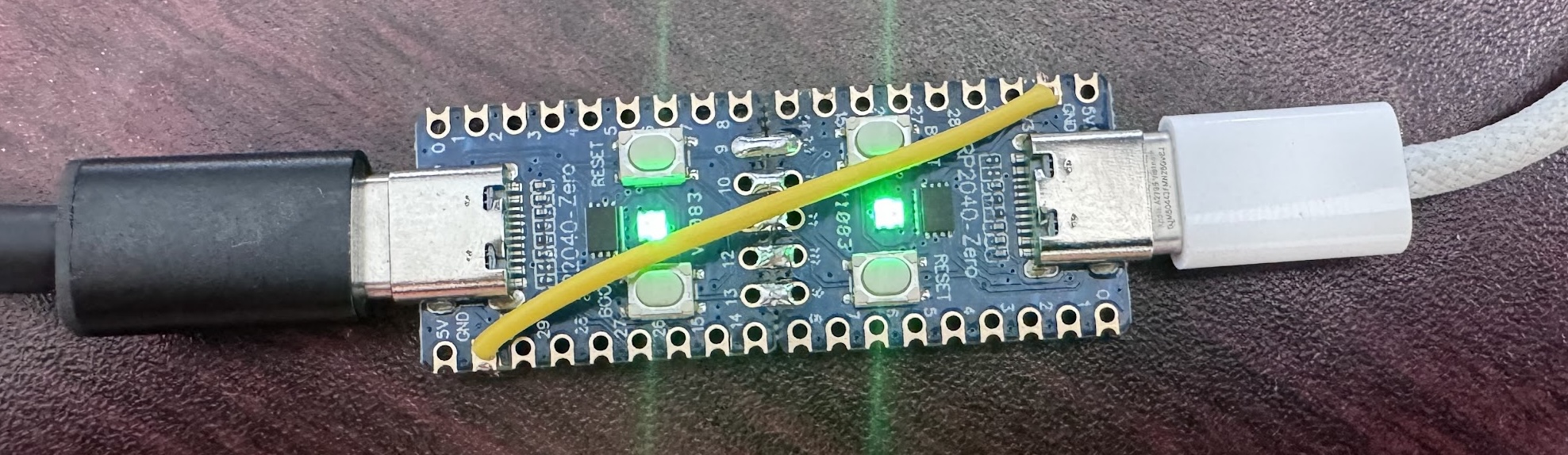
One board connects to an audio source and identifies as a USB audio sink. Pretty much any modern tech will see it and output audio to it. It converts this audio stream into I²S and sends it over those edge pads. The other board identifies as a Caraoke Mic, then listens for that I²S stream and sends it as mic audio. The Caraoke Mic’s effects are processed on the mic receiver, which works great for us because it means the car plays exactly what is pumped in through that input. Latency is about 8 ms through both boards, due to USB frame quantisation and enough buffer to cover one packet at each hop.
Some issues I unfortunately can’t fix
While this setup does work, it did uncover some issues that are on Tesla’s end to fix. It would be nice if they got around to just accepting USB audio natively at some point, but I have no idea how to get ahold of someone at Tesla who would have enough influence to do anything about it.
First off, Tesla’s audio processing chain adds around 130ms of latency. This applies to any source, including audio in the browser and FM radio. While this is much better than Bluetooth’s delay, it still isn’t low enough for playing instruments in the car, which I was really hoping to do. In fact, if you watch a Caraoke Mic demo video, you’ll notice the delay there too. I’m surprised they just decided not to reduce that delay considering they sell a product that would really benefit from it.
Tesla also added “anti-howling technology” to the mic, and that appears to manifest as limiting system volume to 60% while the mic is connected, which makes sense for avoiding feedback with a mic but just gets in the way here. It’s glitchy though. If a mic is connected while volume is over 60%, volume doesn’t limit until the driver tries to change it. I added a feature in the car board firmware where if the boot button is held, it disconnects the mic from the car, then reconnects when let go, and this works for turning the volume up, but means you can’t change volume and keep it high without holding the button again, and you can’t hide the device behind the dash. This is frustrating when watching movies with quiet dialog, and since it affects system volume, the device must be disconnected to turn it up just for music.
And one last major issue, when the mic is connected (either Caraoke Mic or TeslAux) there’s noticeable popping sounds in the audio chain, and these popping sounds affect all system audio including built in streaming and even system sounds like shifter and object detection noises.
Overall, it was pretty cool building what I believe to be the first working aux in system for Teslas. I would love to get ahold of Tesla engineering and have them fix these issues and officially support USB audio in without having to fake the official mic, but I don’t even know where to start with that.
Another potential way to get audio in
One other route I might explore in the future is the FM tuner. It’s a box mounted in the back somewhere that sends its audio to the MCU via automotive Ethernet. There is a TMC forum thread where people have swapped their radio tuners for boxes with SiriusXM built in, and from what I can tell, it simply works when you swap in the box. This suggests that encryption over that Ethernet line is probably nonexistent, that it’s likely possible to replace the tuner or intercept the line to inject audio, and that it might even be possible to add another arbitrary “Aux” source (if the SiriusXM source and listings are set by the tuner instead of the MCU). This, however, would be much more challenging than the mic emulator. Automotive Ethernet transcievers are pricey and I’d have to make a wiring harness to plug one into the MCU without losing connection to other controllers. And injecting audio this way would fix the popping and volume issues but not the latency.